

Fuel Pilot
Android • 100% Offline • Free
Fuel tracking made simple.
Fuel Pilot is a lightweight, privacy-focused automobile fuel logging and expense tracking utility for Android. Designed with a strict offline-first architecture, it empowers drivers and vehicle owners to calculate accurate fuel consumption (km/L and mpg), monitor monthly spending patterns, and maintain multiple vehicles with zero required accounts or cloud tracking.
Why fuel logging is usually frustrating
Most fuel tracking tools fall into two extremes: either complicated spreadsheets that require manual formulas on a desktop computer, or cloud-heavy apps that demand email registrations, passwords, and track your travel records on remote company servers.
Fuel Pilot was created to fix this. It runs entirely on your phone with a local SQLite database. You enter odometer numbers at the pump in seconds, calculate exact mathematical mileage (km/L and mpg) from consecutive full tanks, and retain 100% control over your vehicle expense history.
Practical capabilities built for daily driving
Only features that actually exist in the current application are listed below. No hypothetical roadmaps.
Smart Fuel Logging
Record fill-ups in seconds with automatic bidirectional cost and volume calculation based on unit price and total paid.
Accurate Mileage Engine
Calculates true fuel consumption (km/L or mpg) between consecutive full-tank refills, plus exact cost per kilometer.
Multi-Vehicle Registry
Manage cars, motorcycles, or commercial fleet vehicles with independent tank capacities, fuel types, and odometer units.
Visual Expense Analytics
Analyze monthly fuel spending bars and mileage efficiency trends computed dynamically from local SQLite aggregates.
Portable Backup & CSV Export
Export your full database to structured .fpb backup files or RFC-4180 CSV spreadsheets for Excel and Google Sheets.
100% Offline & Private
No user registration, no passwords, and zero personal vehicle data leaves your device. Stored securely on SQLite.
Simple 5-step daily workflow
From your first fill-up to full historical CSV exports, logging takes less than 15 seconds at the fuel station.
Add Your Vehicle
Configure your vehicle profile with make, model, tank capacity, and preferred fuel measurement units.
Record a Fuel Purchase
Input your current odometer reading, volume pumped, and price per liter at the pump in seconds.
Automatic Mileage Computation
When logging full-to-full refills, Fuel Pilot automatically calculates your exact km/L and cost per km.
Review History & Charts
Inspect chronological logs, monthly expenditure bars, and fuel consumption trends over time.
Export & Backup Anytime
Generate standard RFC-4180 CSV spreadsheets or portable .fpb database backups directly on your device.
Real screenshots from Fuel Pilot for Android
Explore the actual user interface running on production Android devices.
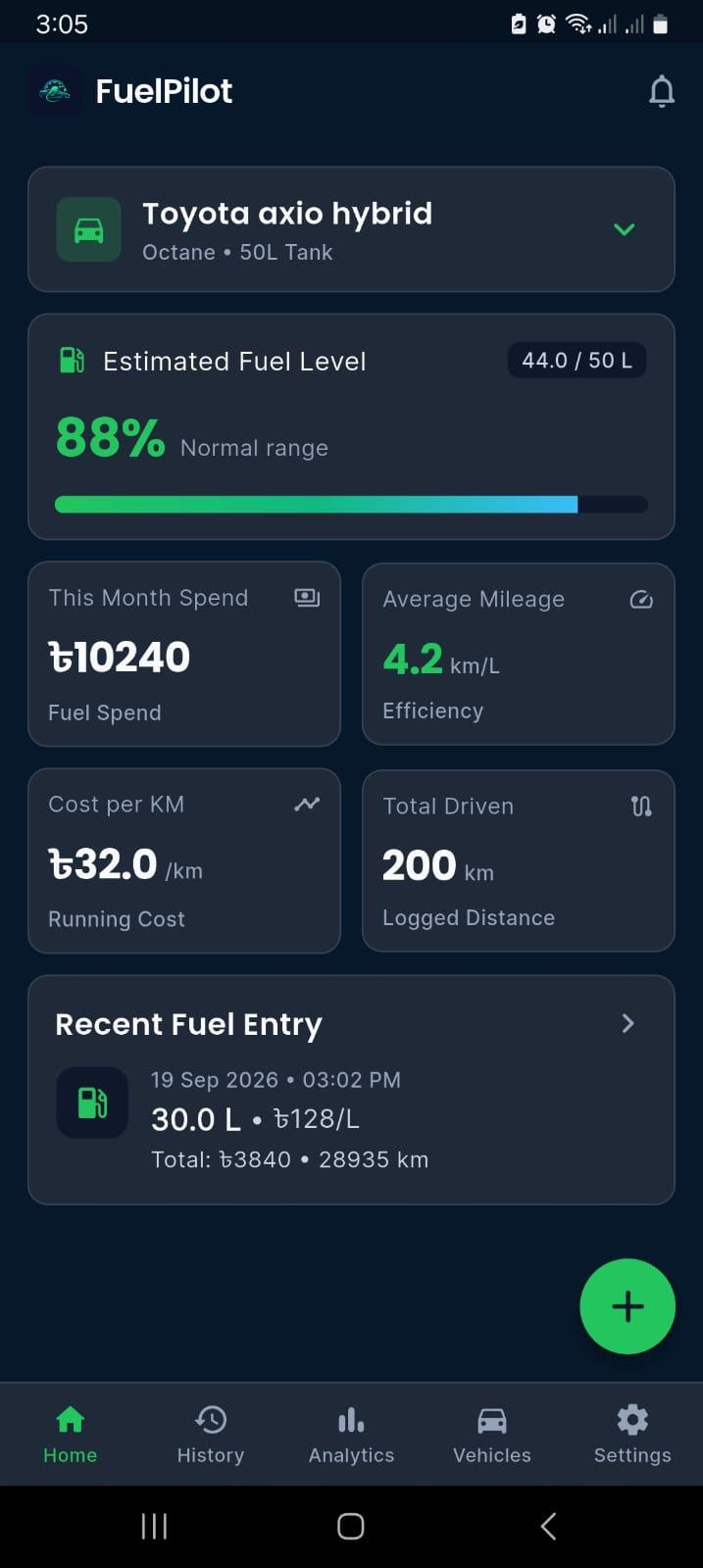
Home Dashboard
Instant fuel gauges, real-time KPI metrics, and active vehicle switcher.
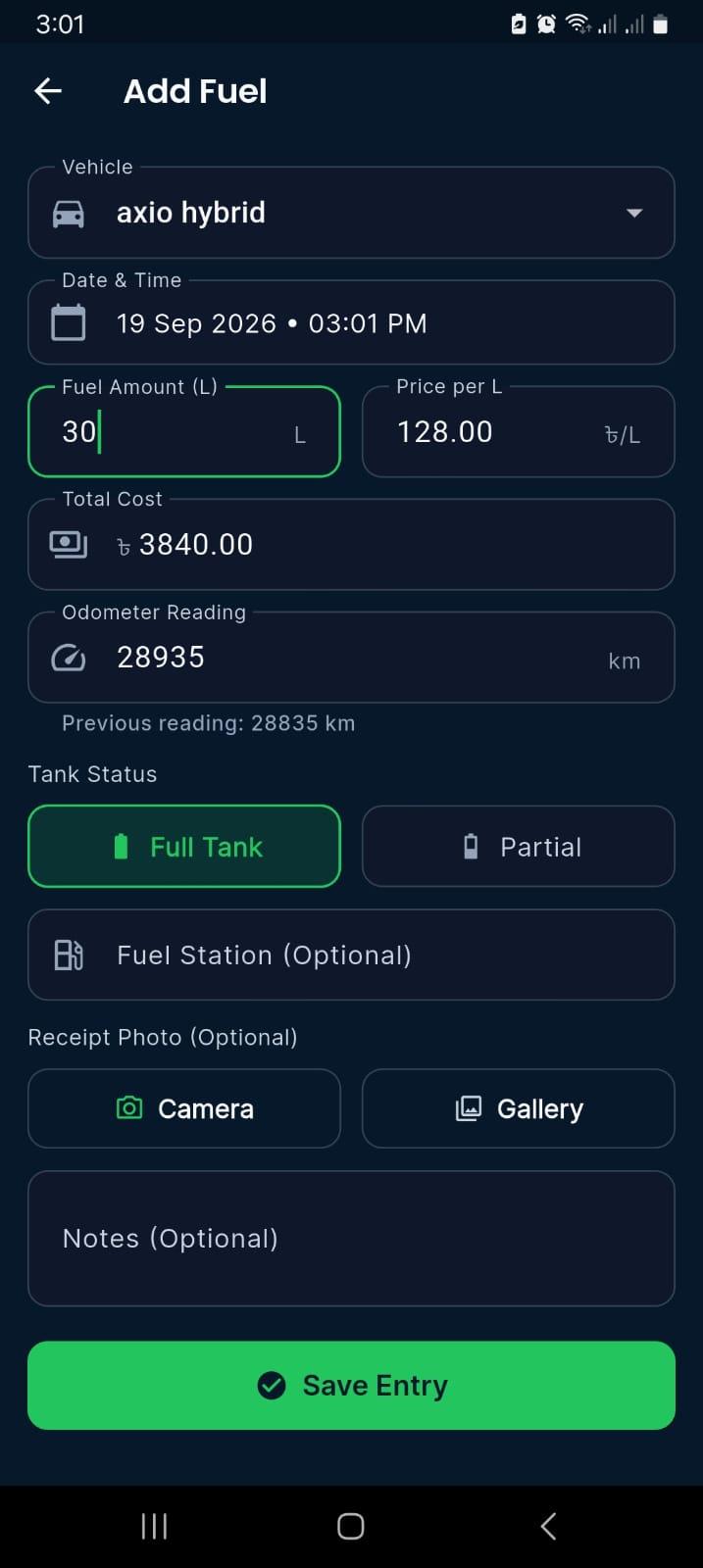
Smart Refueling Entry
Bidirectional cost & volume calculator with odometer validation and notes.
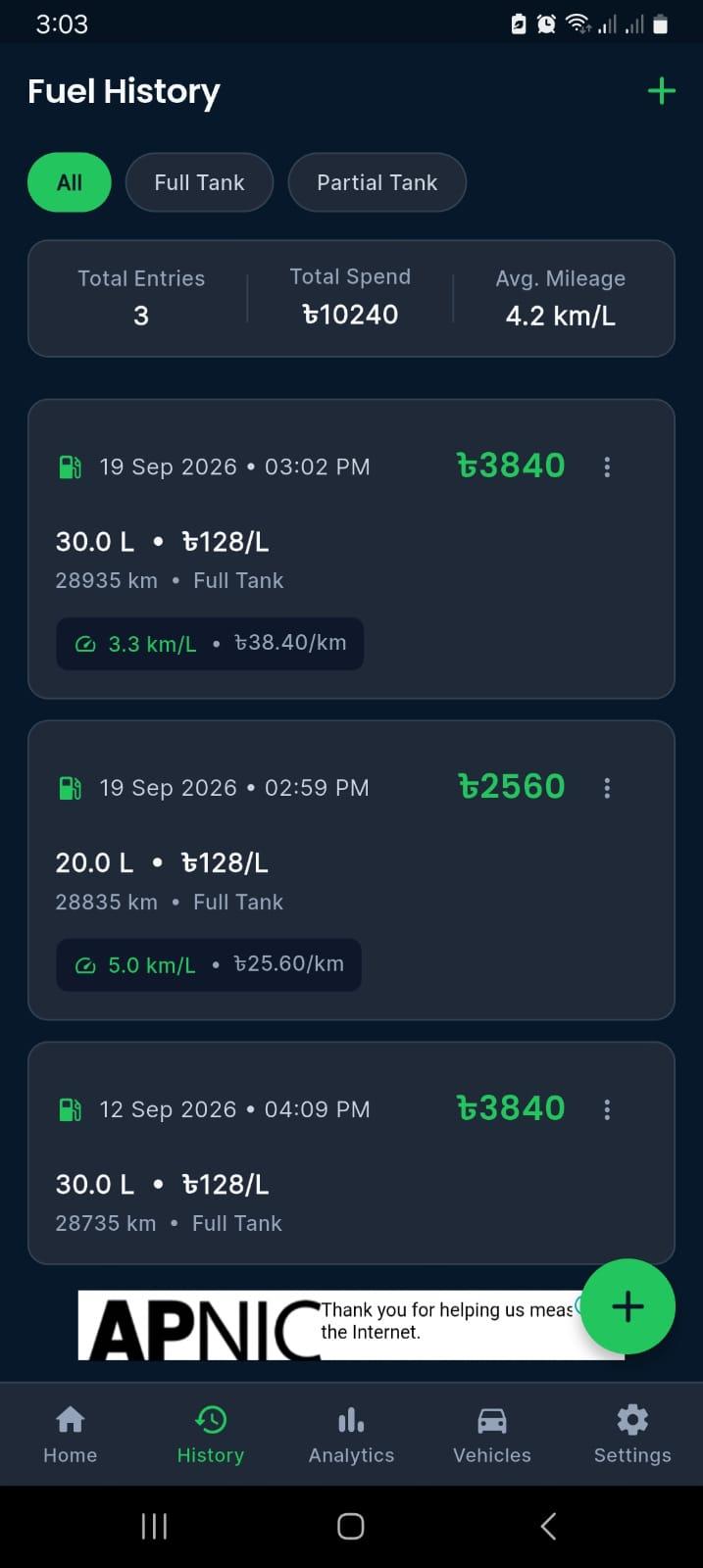
Chronological Log
Full-to-full mileage badges, cost-per-km metrics, and quick editing.
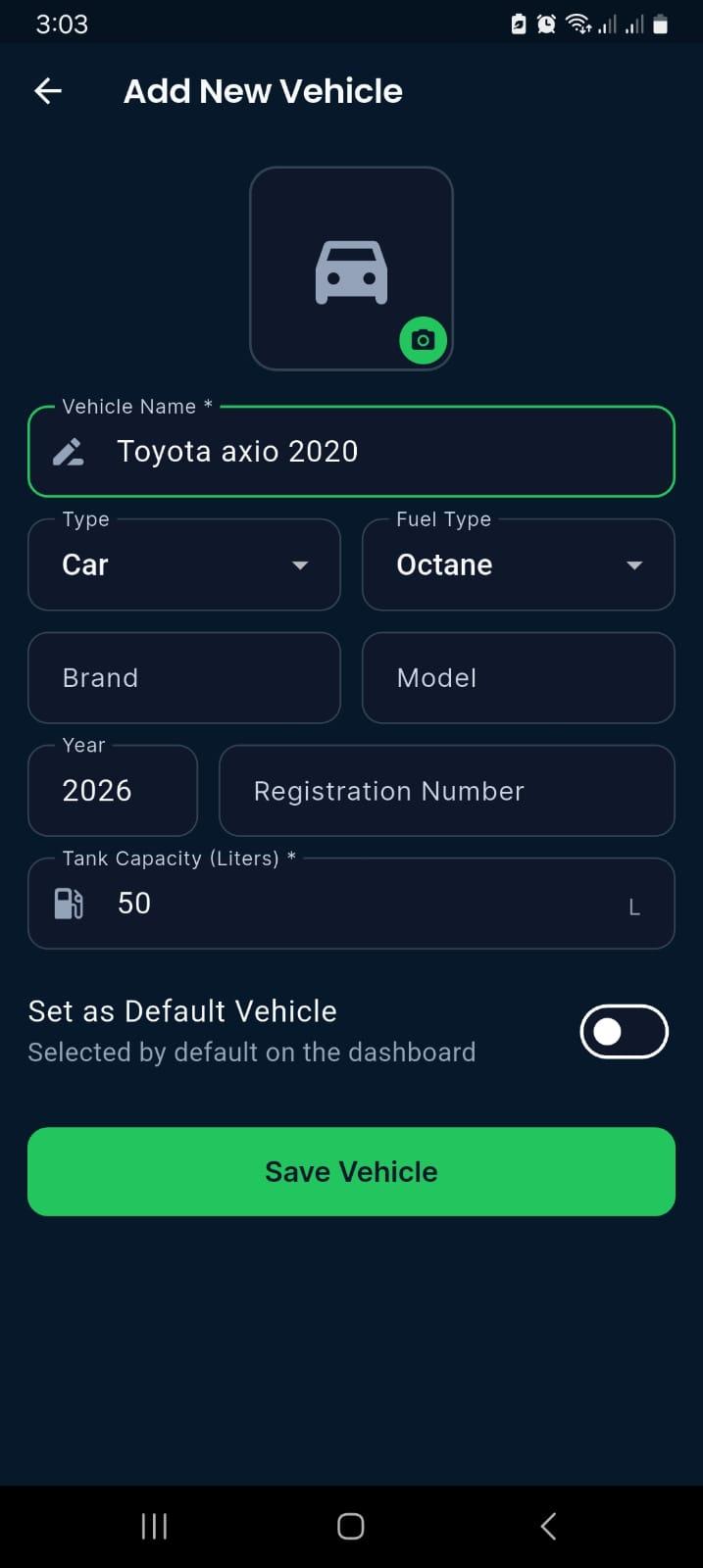
Vehicle Profiles
Custom fuel types, tank capacities, and vehicle specs.
100% Offline Privacy Guarantee
Fuel Pilot does not require account creation, passwords, phone numbers, or social logins. All vehicle odometer logs, fuel receipts, and notes are saved directly in your phone's sandboxed SQLite database file (fuelpilot.sqlite).
AfriBa Labs cannot access, view, or sell your driving records. When you export a CSV or .fpb backup, the file is saved directly to your phone's internal storage or your chosen cloud drive.
Read the Full Fuel Pilot Privacy PolicyFrequently Asked Questions
Does Fuel Pilot require an internet connection or account?
No. Fuel Pilot is engineered strictly as an offline-first app. There are no logins, passwords, or servers holding your personal driving logs.
How is fuel economy (km/L or mpg) calculated?
Fuel Pilot uses the proven full-to-full calculation method. By recording odometer differences between consecutive full-tank fill-ups and dividing by the volume filled, it yields mathematically exact consumption metrics.
Can I track multiple cars or motorcycles?
Yes. You can create independent profiles for each vehicle in your garage, each with its own fuel type, tank volume, and distinct odometer history.
Can I export my data to Excel or Google Sheets?
Yes. Fuel Pilot includes one-tap CSV export conforming to the RFC-4180 specification, making it trivial to open your logs in any spreadsheet software.
What happens if I change my phone?
You can generate an encrypted or plain .fpb backup file in Settings, save it to your local storage or cloud drive, and restore it on your new phone with a single tap.
Understanding Database Transactions & Isolation
Read how ACID transactions and local SQLite boundaries prevent data corruption and lost updates in software systems.
Start tracking vehicle expenses offline
Download Fuel Pilot free from the Google Play Store and take control of your vehicle logs without cloud tracking.
Download Fuel Pilot on Google Play